Activate Pravax VMS (v2.3)
Experience India's most advanced 100% Offline AI Visitor Management System. Equipped with AI Face Biometrics, QR Code Fast Passes, Military Biometric Blacklist, and Local Wi-Fi Boss Portals. Choose your plan below to get your permanent license key.
AI Face Biometrics
Deep neural facial embeddings & 1-click returning visitor match — 100% offline with zero cloud latency.
QR Code Fast Passes
Multi-tier VIP, Monthly, Contractor & Resident passes with fast 1-second QR barcode check-in.
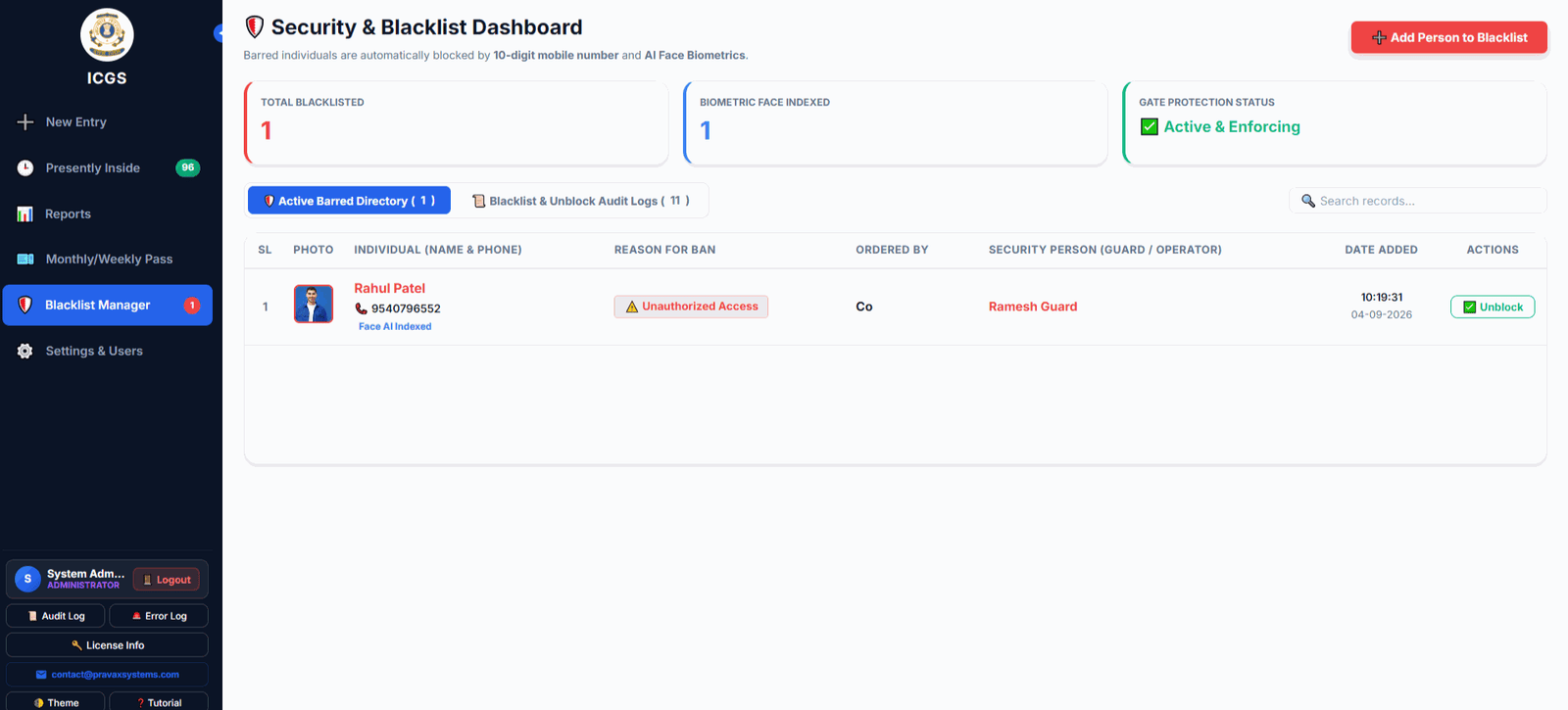
Military Blacklist Vault
Instant biometric duplicate detection by face & phone with gate security alert modals.
Local Wi-Fi Boss Portal
Zero-app live headcount streaming across LAN/Wi-Fi to executive mobile phones & laptops.
Military & Enterprise Grade Cockpit
Everything your gate security team needs to monitor entries, verify faces, issue QR passes, and audit stays.
Live Executive Cockpit COCKPIT
Real-time active inside roster, today's entry statistics, and rapid 1-click check-in/out.

AI Face Biometrics 500ms
Neural facial embeddings instantly recognize returning visitors with zero manual typing.

QR Code Fast Passes 2D QR
Issue single or multi-day contractor passes with high-density barcodes and fast gate exit scanning.

Local LAN Boss Portal WI-FI
Commanders and directors monitor live headcounts on mobile over local Wi-Fi without internet.

Daily Sign-Off PDF A4 PDF
Printable end-of-shift officer sign-off audit with active stay metrics and signature stamps.

1-Click White-Labeling BRANDING
Custom battalion crests, logos, organization headers, and gate names stamped on all passes.
Annual Enterprise
- 1 Year Full VMS Software License
- AI Face Biometric Match (500ms)
- 2D QR Fast Passes & Contractor Passes
- Military Biometric Blacklist Vault
- Local LAN Wi-Fi Boss Portal
- Daily Sign-Off A4 PDF & Thermal Printing
- 1 Year Technical Support & Updates
Lifetime Sovereign
- Permanent Lifetime Offline License Key
- 1-Click Complete White-Labeling (Logo & Crest)
- Multi-Role RBAC (Superadmin, Guard & Operator)
- 1,000,000+ Record SQLite WAL Database
- AI Face Biometrics & QR Passes Included
- Local Wi-Fi Boss Portal & Daily PDF Audit
- 1 Year Priority Dedicated Support Included
Enterprise AMC
- Priority WhatsApp & Remote Support
- Free Minor & Major Software Upgrades
- License Re-binding & Hardware Migration
- Database Health Check & Backup Audits
💳 Secure Online Payment & Demo Enquiries
Choose your plan on the payment page or message us directly on WhatsApp for a live demo.
Payment Complete? Get Your Key!
To receive your Activation Key, please send us a WhatsApp message with the following:
How to find your Machine ID:
1. Open the software and go to the Profile Page.
2. Enter the password admin to access it.
3. Locate your Machine ID. It will look like: M-2ED54ECFAFB9
Need help? Call us at +91-9930968896